Schedulista vs. Calendly: Which Scheduling Tool Is Right for Your Business?
If you’ve ever spent more time emailing back and forth trying to find a meeting time than actually having the meeting, then you already know the value of a good scheduling tool.
As the Founder and Creative Director of Brand Flour, Calendly has been my go-to scheduling platform for years, and it’s served me well. That said, I’ve heard great things about Schedulista and believe it’s always worth exploring the tools available to ensure you’re making the best decision for your business.
Whether you’re a therapist, consultant, coach, creative, or small business owner, the right scheduling platform can save time, reduce administrative headaches, and create a smoother experience for your clients.
So, if you’re trying to decide between Calendly and Schedulista, I’ve put together a side-by-side comparison to help you determine which platform may be the better fit for your needs.
Let’s dive into two of the most popular scheduling tools available today: Schedulista and Calendly.
While both help eliminate scheduling headaches, they were built with slightly different users in mind.
So which one is the better fit for your business?
Let’s break it down.
At a Glance
| Feature | Schedulista | Calendly |
|---|---|---|
| Best For | Service-based businesses | Consultants, coaches, teams, and professionals |
| Appointment Scheduling | Yes | Yes |
| Client Self-Booking | Yes | Yes |
| Payment Collection | Yes (with Stripe) | Yes (with Stripe or PayPal) |
| Staff Scheduling | Strong | Moderate |
| Group Classes | Yes | Limited |
| Workflow Automation | Basic | Advanced |
| Integrations | Moderate | Extensive |
| CRM Connectivity | Limited | Strong |
| Free Plan | Limited | Robust |
What is Schedulista?
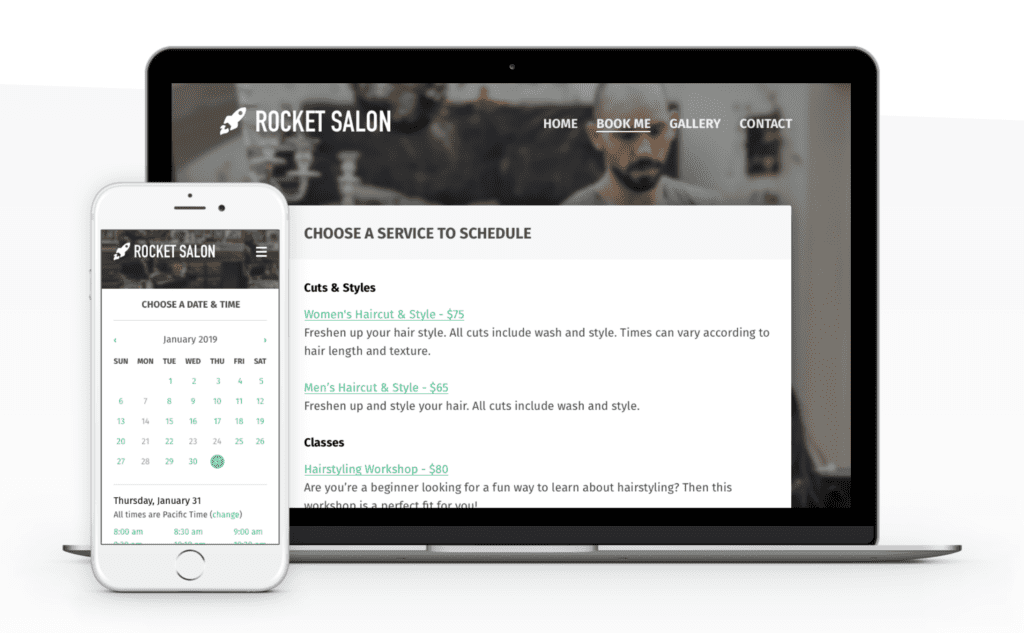
Schedulista was designed primarily for businesses that book appointments with clients.
Think:
- Photographers
- Therapists
- Salons
- Fitness trainers
- Consultants
- Wellness professionals
The platform focuses on simplifying appointment management.
What Schedulista Does Well
1. Simple Setup
One of Schedulista’s biggest strengths is ease of use. Most business owners can have their booking page live within an hour.
2. Built for Service Providers
Unlike some scheduling platforms that feel corporate, Schedulista feels intentionally designed for appointment-based businesses.
Features include:
- Multiple staff calendars
- Appointment reminders
- Client booking pages
- Recurring appointments
- Class scheduling
3. Payment Collection
Businesses can accept payments during booking, helping reduce no-shows and streamline client onboarding.
4. Schedulista Pricing
Schedulista takes a different approach to pricing than Calendly. Rather than offering a free plan with tiered upgrades, Schedulista uses a flat-fee model based on the number of staff members who need access.
At the time this blog was written, pricing starts at:
- $19/month for a single user
- $39/month for teams of 2–15 staff members
- Custom pricing for organizations with more than 15 staff members
Whether this pricing structure is a benefit or a drawback depends on your business needs. For some professionals, the simplicity of knowing exactly what they’ll pay each month is appealing. For others, particularly solo entrepreneurs who only need basic scheduling features, the lack of a free plan may be a consideration.
The good news is that Schedulista offers a 15-day free trial, allowing you to explore the platform and determine whether it’s a good fit before making a financial commitment.
As always, pricing and features may change over time, so be sure to review the most current plans directly on Schedulista’s website before making your final decision.
View Schedulista’s current pricing here
Potential Drawbacks
Schedulista is excellent for appointment scheduling, but it can feel limited as a business grows.
You may find yourself wanting:
- More automation
- Better CRM integrations
- Advanced workflows
- Marketing automation
What is Calendly?
Calendly is one of the most widely used scheduling platforms in the world.
Originally built for professionals booking meetings, it has evolved into a powerful scheduling ecosystem.
Popular among:
- Coaches
- Consultants
- Agencies
- Sales teams
- Corporate professionals
- Educators
- Creatives too!
What Calendly Does Well
1. Automation
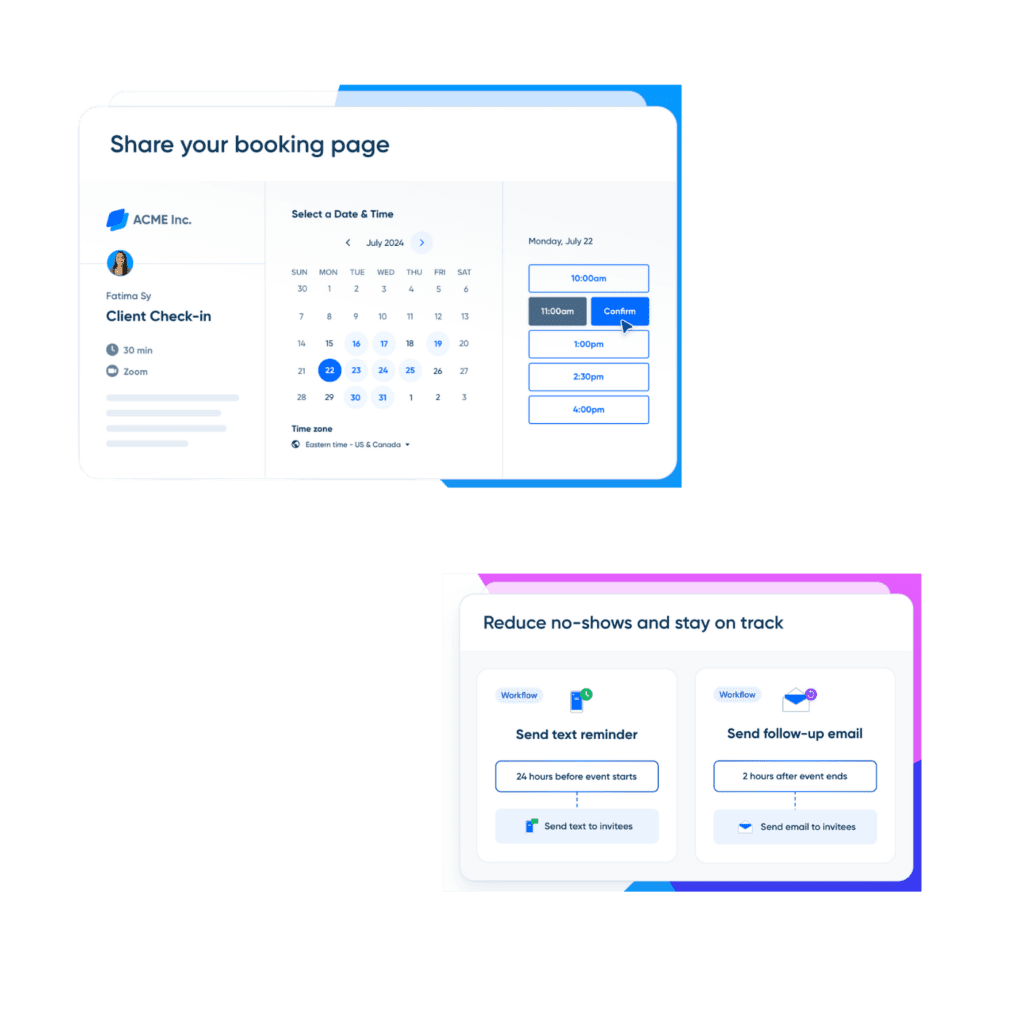
Calendly shines when it comes to workflow automation.
You can automatically:
- Send reminders
- Route leads
- Trigger follow-up emails
- Connect to CRMs
- Sync with project management tools
2. Integrations
Calendly integrates with hundreds of platforms, including:
- Zoom
- Google Meet
- Microsoft Teams
- HubSpot
- Salesforce
- Mailchimp
- Zapier
- Stripe
This makes it ideal for businesses looking to create a seamless client journey.
3. Multiple Meeting Types
Calendly supports:
- One-on-one meetings
- Group meetings
- Team scheduling
- Round-robin assignments
- Workshops
- Discovery calls
4. Calendly Pricing
Let’s talk pricing, because for many small business owners, this is where the decision becomes much easier.
At the time this blog was written, Calendly’s Standard plan starts at $10 per seat per month when billed annually, or $12 per seat per month when billed monthly. While Calendly offers a generous free plan, many of the features business owners eventually need require an upgrade.
You’ll likely want a paid plan if you:
- Accept payments through Stripe or PayPal
- Offer multiple appointment types
- Need to connect multiple calendars
- Use integrations like Mailchimp or Zapier
- Want automated reminders and follow-up notifications
- Need more advanced workflows and scheduling options
For larger organizations, Calendly also offers team-based plans with additional collaboration and administrative features.
One thing I appreciate about Calendly is that many businesses can start with the free version and only upgrade as their needs grow. This makes it an accessible option for entrepreneurs who want to test the platform before committing to a monthly expense.
As always, pricing and features can change over time, so I recommend reviewing the most current plans directly on Calendly’s website before making a decision.
Potential Drawbacks
Calendly was not originally built for appointment-heavy businesses.
So, for service providers with:
- Multiple practitioners
- Class schedules
- Treatment rooms
- Complex appointment types
This platform can require more setup and workarounds than Schedulista. Since I don’t have these items, I have used Calendly flawlessly in my photography business, even for mini sessions.
View Calendly’s current pricing here
Side-by-Side Results
User Experience
Winner: Schedulista
If your primary goal is booking appointments, Schedulista feels more intuitive and purpose-built.
Automation
Winner: Calendly
Calendly offers significantly more automation capabilities and integrations.
Team Scheduling
Winner: Calendly
Calendly’s routing, round-robin scheduling, and team management tools are ideal for growing businesses.
Client Appointment Management
Winner: Schedulista
Appointment-based businesses often appreciate Schedulista’s client-focused design.
Integrations
Winner: Calendly
Calendly connects with far more tools and platforms.
Ease of Setup
Winner: Schedulista
Many agree that less configuration is needed to get started. This was hard for me to tell because I am Calendly knowledgeable, which led to ease for both.
My Take
Having used Calendly for years, I can confidently say it has been a reliable and effective tool for my business. The free version offers enough functionality for many entrepreneurs just getting started, while the paid plans provide the integrations and automation needed as your business grows.
If you’re looking for a scheduling platform that integrates well with other business tools and can scale with your needs, Calendly is a strong choice.
That said, Schedulista has earned a loyal following, particularly among therapists, counselors, and appointment-based professionals who appreciate its simplicity and client-focused scheduling experience.
Ultimately, neither platform is a bad choice. The best option depends on your workflow, the features you need today, and where you see your business growing in the future.
My recommendation? Make a list of your non-negotiables: payments, reminders, calendar syncing, integrations, reporting, and client experience—and choose the platform that best supports those priorities.
Brand Flour helps purpose-driven businesses strengthen their brand, refine their message, and create meaningful connections through strategy, visual storytelling, and digital experiences. If you need help with that, inquire today.

June 22nd, 2026 at 4:42 pm
This is very helpful as it allows me to make an informed decision.